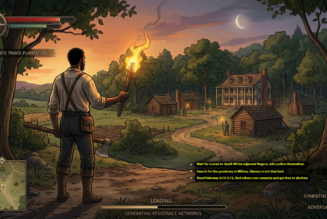
Soon all you will need is an idea start developing your own culturally inspired video games using AI.
You can develop your own video games with AI, whether you want a no-code browser game or a more serious project built in Unity, Godot, or Unreal. The most reliable approach is to use AI as a collaborator for code, assets, design, and debugging, while you keep control of the core gameplay and scope.wired+1
Choose your path
| Goal | Best approach | Examples |
|---|---|---|
| Make a playable game quickly, no coding | Describe the game in plain language, then iterate with prompts | Google Playground, Replit AI Game Builder, Upit wired+3 |
| Learn game development | Use an engine plus AI coding help | Godot/Unity/Unreal with ChatGPT, Claude, Cursor, GitHub Copilot reddit |
| Make a polished commercial game | AI-assisted production, but human-led design, testing, and optimization | Engine + AI tools for code review, concept art, dialogue drafts, and asset generation reddit+1 |
A practical workflow
-
Define a tiny game. Pick one mechanic, one level, and one clear win condition—for example, “a 2D platformer where the player dodges moving spikes and reaches a door.”
-
Write a detailed prompt. Specify genre, camera view, controls, objective, enemies, visual style, and what should happen when the player wins or loses.
-
Generate a prototype. Tools such as Google Playground can turn natural-language descriptions into playable browser games, including 2D or 3D and single- or multiplayer options.techradar+1
-
Playtest immediately. Check whether the controls feel good, the difficulty is fair, and the goal is obvious before adding features.
-
Iterate in small steps. Ask for one change at a time: “make jumps more responsive,” “add a three-heart health system,” or “reduce enemy speed by 20%.”
-
Use AI for assets. Generate sprites, textures, icons, sound, music, or 3D concepts, then edit and integrate them into your engine.ludo
-
Polish and publish. Fix performance, add menus and feedback, test on target devices, then export to web, mobile, PC, or a platform supported by your tool.replit+1
Prompt template
Create a 2D side-scrolling platformer in a pixel-art style.
The player controls a small fox with left/right movement, jump, and double jump.
Goal: collect 5 glowing acorns and reach the exit portal.
Include 3 enemy types, simple checkpoints, a 90-second timer, and a game-over screen.
Make the first level easy, with a short tutorial area and clear visual feedback for damage and collection.
Specific prompts produce much better first drafts than “make me a fun game.” AI game builders commonly let you refine rules, characters, environments, and controls through follow-up instructions.pcmag+1
What AI is good—and not good—at
AI helps most with:
-
First-pass code, boilerplate, and debugging
-
Prototyping mechanics and level layouts
-
Concept art, sprites, textures, music, and sound ideas
-
Explaining unfamiliar engine concepts and suggesting fixesreddit+1
You still need to own:
-
Game feel: responsiveness, pacing, difficulty, and feedback
-
Scope control: one polished mode beats several unfinished ones
-
Architecture: poorly structured projects create hard-to-fix bugs later
-
Testing: especially multiplayer latency, device performance, and edge casesreddit
Recommended first project
Start with a single-screen arcade game—such as a dodge-the-obstacles game, breakout clone, or endless runner. It is small enough to finish, teaches core systems like input, collision, scoring, and restart logic, and gives you a complete game you can share.
For a no-code start, try an AI game builder that generates a browser game from your description and lets you refine it conversationally. For a long-term development path, learn Godot or Unity while using AI to accelerate coding and asset creation rather than replace your design judgment.